
At a glance
- Seasonal rates
- Date-ranged rules set an absolute rate or a percent change, park-wide or per site type.
- Dynamic pricing
- Two honest dials: a last-minute discount and a busy-night bump. Off by default.
- Taxes & fees
- Percent, flat per stay, or flat per night — taxes and fees tracked separately, scopable by site type.
- Deposits & cancellation
- First night, percent, flat, or full; refund windows by days-out. Every guest agrees before paying.
Seasonal rates
Under Settings → Rates, a rate rule is a date range plus what happens inside it: an absolute nightly rate (“$68/night July 1–Labor Day”) or a percent modifier (“−20% after October 15”), applied park-wide or to one site type. Every quote on the booking page, every phone quote at the front desk, every long-term invoice uses the same rules. Change anything in February; it's live for July bookings the moment you hit save.
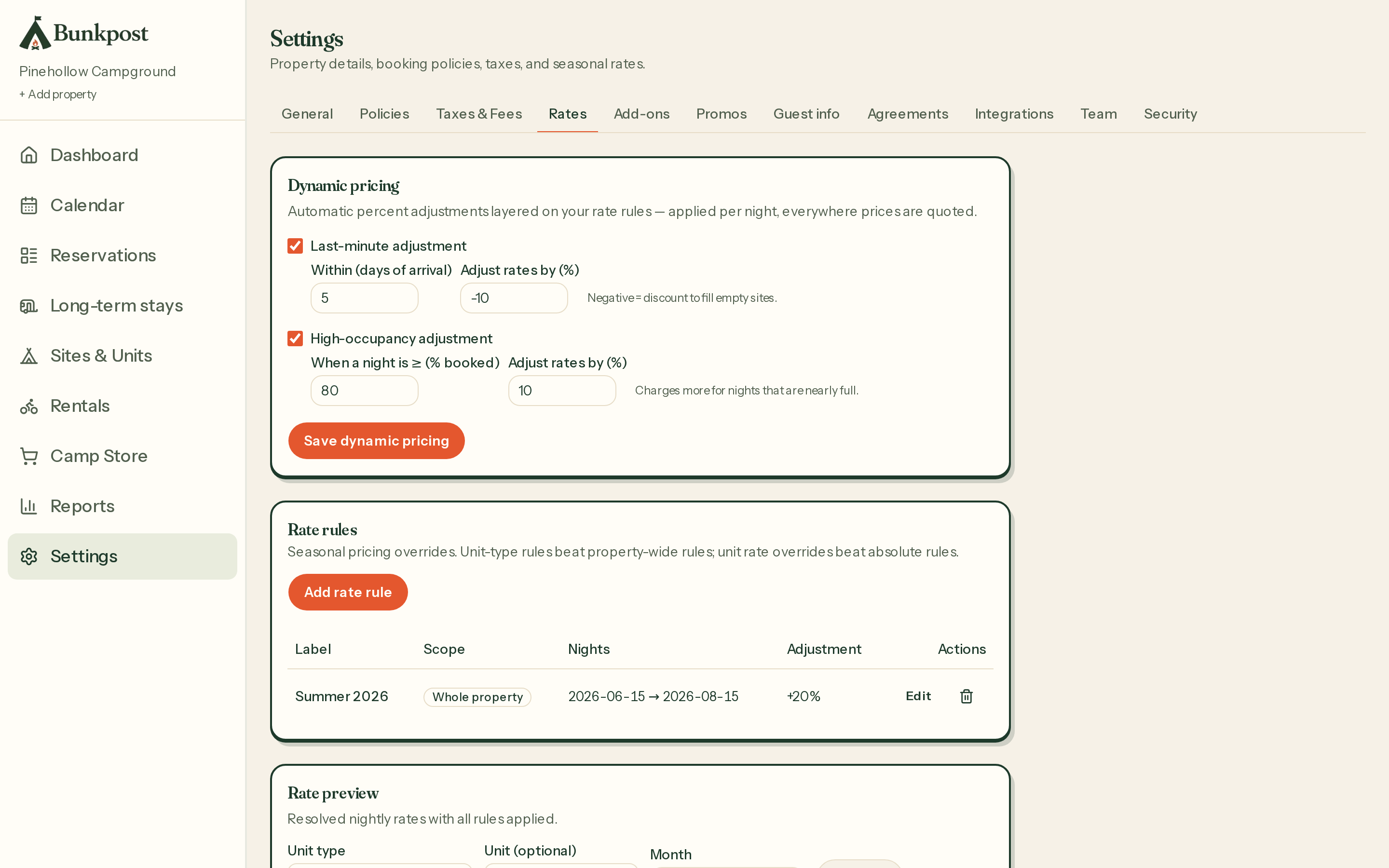
Rates — seasonal rules on top, the two dynamic-pricing dials below, with a live preview.
Dynamic pricing without the black box
Bunkpost's dynamic pricing has exactly two dials, and you can explain both to a guest without blushing:
- Last-minute: within N days of arrival, move the rate by X% — usually a discount to fill empty nights close in.
- Busy nights: when a night is at least P% booked, add X% — the weekend-premium you already charge in your head.
They stack additively, the rate never goes below zero, and the rate preview shows you the result before anything goes live. No machine learning, no “surge” surprises — just the two adjustments small parks actually make. There's a longer discussion of the strategy in Seasonal pricing for RV parks.
Taxes and fees
Under Settings → Taxes & Fees, each line is one of three kinds — a percent, a flat amount per stay, or a flat amount per night — and is flagged as either a tax or a fee. Percent taxes apply to the nightly subtotal only; your fees are never taxed. Lines can be scoped to specific site types (tax cabins differently than RV sites, if your state insists), and everything lands itemized on the guest's total and in your tax-to-remit report.
Deposits, cancellation, and the fine print
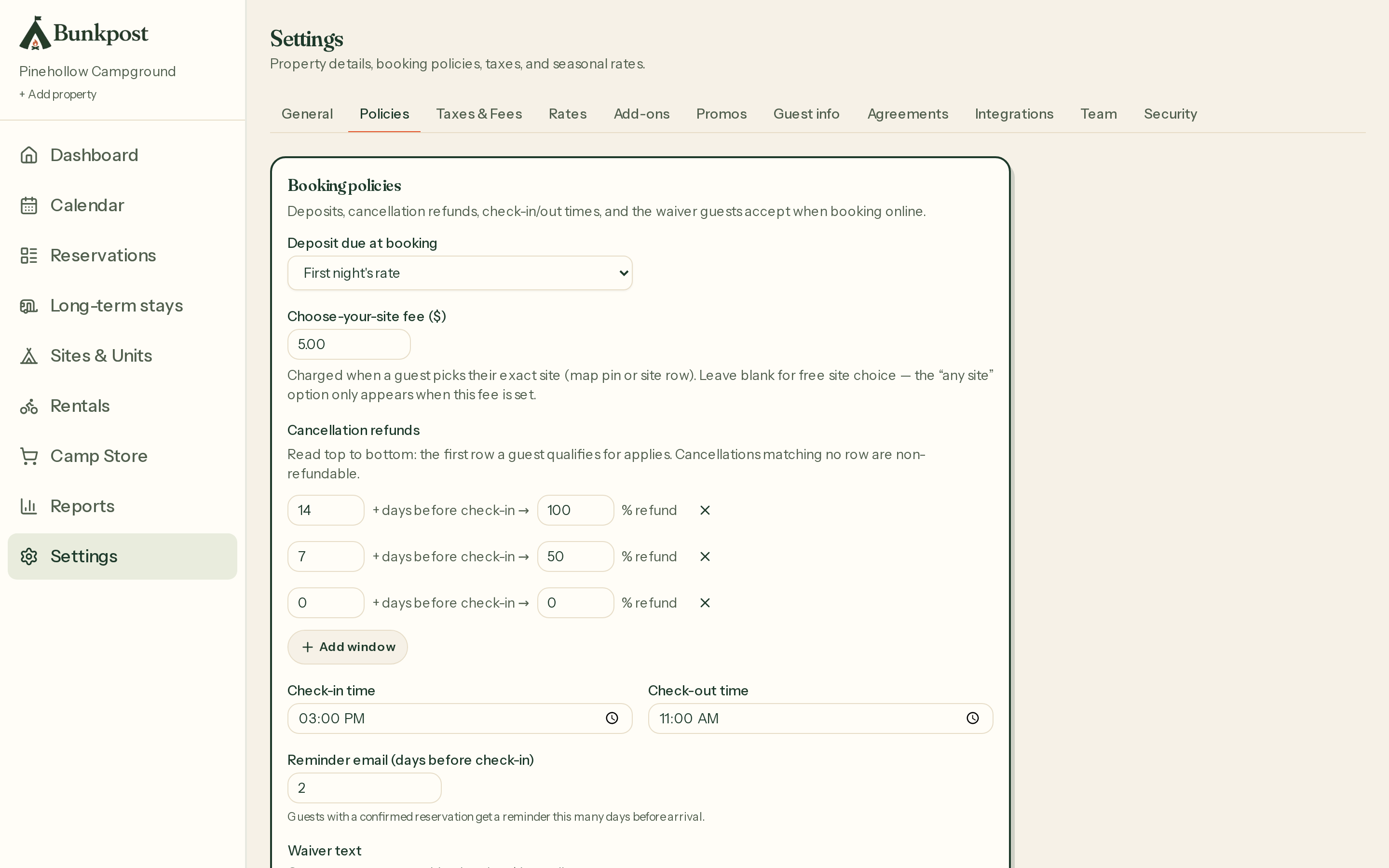
Policies — deposit, site-lock fee, refund windows, check-in/out times, reminder timing, waiver.
- Deposit:first night's rate, a percent, a flat amount, or payment in full. No deposit policy means guests simply pay in full at booking.
- Cancellation windows:ordered rows of “D+ days before arrival → R% refund.” The first matching row wins; a cancellation matching no row is non-refundable. Guests see the policy before they pay and on their stay page after. (Struggling to write one? Read our guide to cancellation policies guests accept.)
- Site-lock fee:what choosing an exact site costs, up to $1,000. Leave it blank and site choice is free; set it and the cheaper “any site” option appears alongside.
- Check-in and check-out times — printed on the stay page and every confirmation.
- Reminder timing: how many days before arrival the reminder email goes out (up to 30; blank turns it off).
- Waiver: paste your waiver text and every guest signs with a typed name at checkout — timestamped and stored with the reservation.