
At a glance
- The stay
- Holds a site for the whole run — months or a season — and shows as one bar on the calendar.
- Billing
- Monthly invoices with a hosted pay-by-card link, or recorded cash and checks. Rent prefills; you can edit any invoice.
- Metered electric
- Set a ¢/kWh rate, enter readings at invoice time, and usage bills itself as a line item.
- Paperwork
- Security deposit on the first invoice; your contract e-signed before move-in, stored as a PDF.
Monthly guests aren't four-week tourists
A seasonal or monthly guest doesn't belong in the nightly booking flow — different price, different paperwork, different relationship. In Bunkpost they get a long-term stay: it reserves the site for the entire run (protected by the same can't-overlap rule as everything else on the calendar), records the party — adults, kids, pets — and bills by the month instead of by the night.
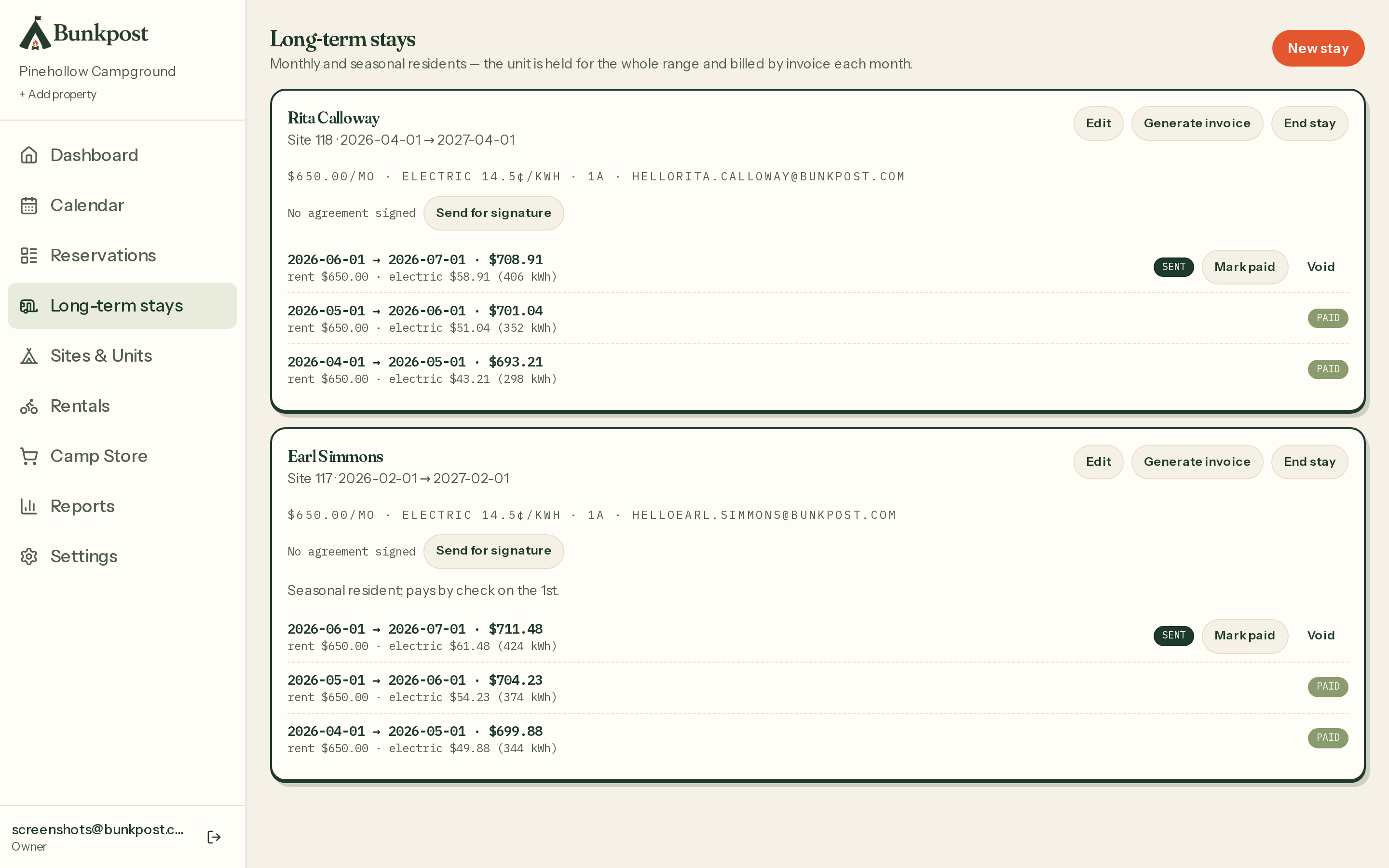
Long-term stays — who's on which site, through when, and where their invoices stand.
Monthly billing without the spreadsheet
Generate the month's invoice
Rent prefills from the stay; add or edit lines before sending — no proration formulas to remember, just numbers you can see.Guest pays their way
Emailed invoices carry a hosted pay-by-card link (powered by Stripe, marked paid automatically). Residents who pay cash or check get recorded with one click. No email? Bunkpost keeps an internal invoice so the ledger stays complete.Meter the electric, if you meter
Set a ¢/kWh rate and a move-in reading once. Each invoice asks for the new reading and bills usage since the last one as its own line item.
Deposits and the contract
A security deposit rides on the first invoice, and Bunkpost tracks it until you mark it refunded at move-out. For the contract, set up agreement templates per site type (with a generic fallback) in Settings → Agreements: each new stay sends a signing request the resident signs from a link — or on a tablet at the desk — and both sides get the countersigned PDF. The signed copy stays attached to the stay, findable in March when you need it.